Once you have the plans and initial pricing downloaded, you can edit them to suit your needs.
To do so:
- Go to Administrative > Care Plan Administration > Care Plan Pricing. The Care Plan Pricing window will appear.
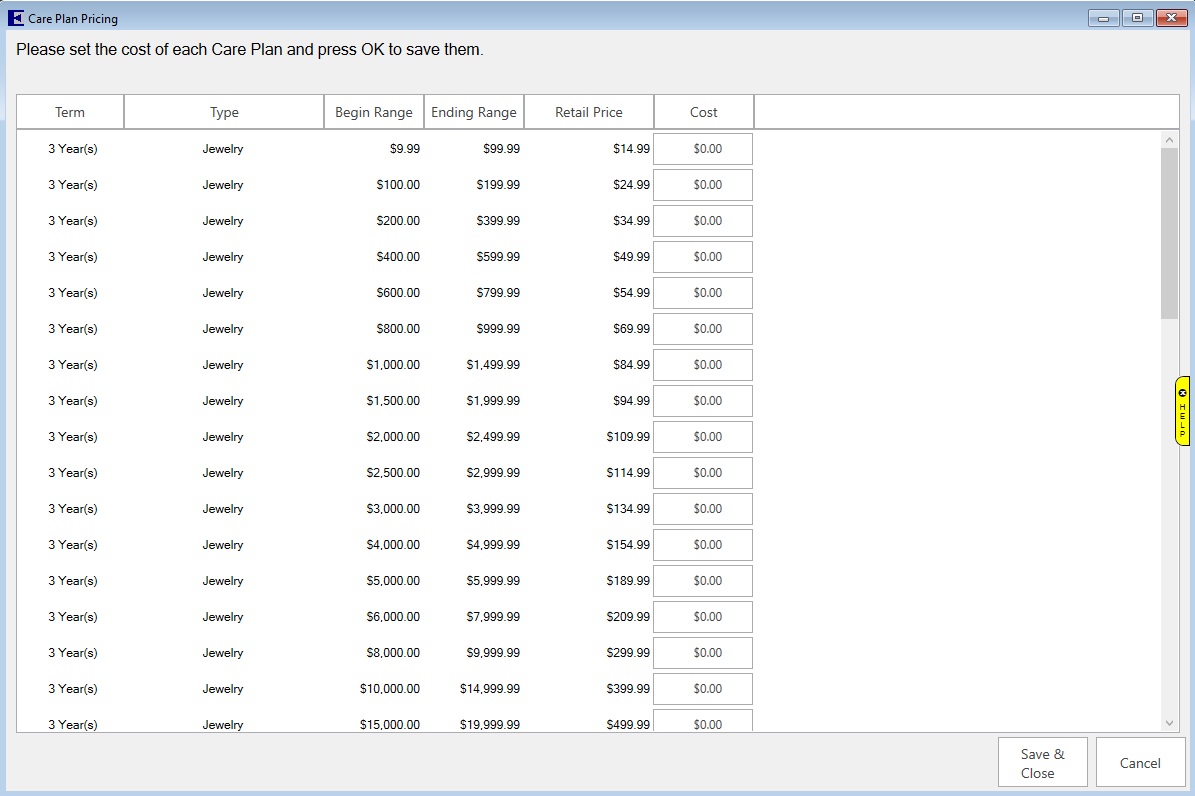
Fields and option in the Care Plan Pricing window include:
| Term |
The length of coverage on the plan. |
| Warranty Type |
The category of coverage. Options include:
Watch
Jewelry No Center Stone
Jewelry with Center Stone |
| Begin Range |
The lower end of the item retail price range within this plan. |
| Ending Range |
The upper end of the item retail price range within this plan. |
| Retail Price |
The amount that the customer will be charged for the plan. |
| Cost |
The cost to you from your care plan provider for the coverage. Keep this in mind if you change the pricing; you’ll want to make sure you cover this cost. |
- If desired, edit the Cost Price of each plan.
- Select OK. The costs will be saved.