Submitted postcard orders will show in the postcard history. Keep in mind all printing is done on the following Sunday. Submitted orders cannot be changed through the software, but you are able to contact DriveRetail directly if you need to make changes to a submitted order prior to it being printed.
To view postcard history:
- Click Clientele > Print Marketing > History. The Postcard History window will appear.
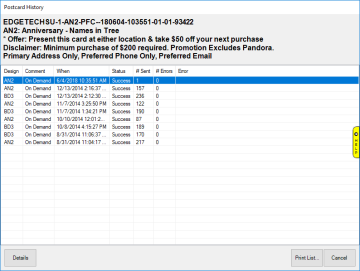
- From here you can view Details (including recipients), Print List, or Cancel out of the window.